How to connect an MCP server safely
An MCP server can give an AI agent access to files, databases and tools. Learn how to limit permissions, protect secrets and reduce prompt-injection risk.
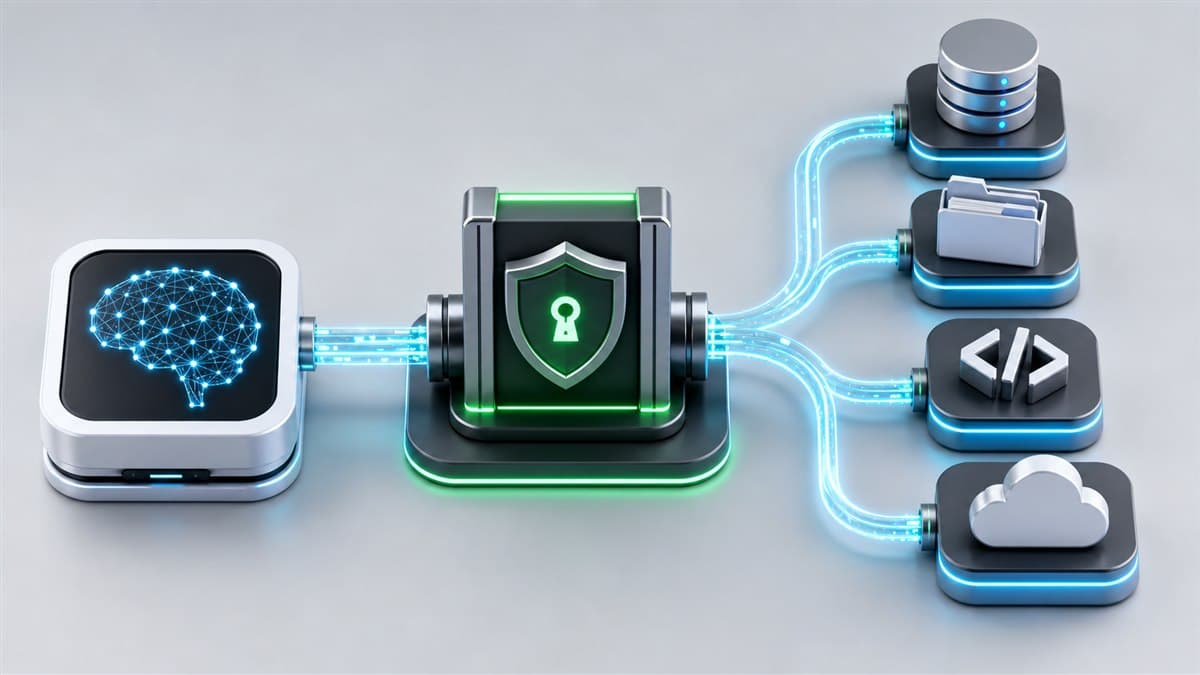
Model Context Protocol, or MCP, standardizes how AI applications connect to tools and data sources. An assistant can use it to read a document, query a database, call an API or perform an operation in another system.
That convenience changes the threat model. A normal chatbot produces text. An MCP-enabled agent may receive access to real resources, so every server should be treated as a privileged integration rather than a harmless plug-in.
Define the server's purpose first
Write a one-sentence purpose for the integration, such as: “This server can only read issues from project X.” If the purpose cannot be described precisely, the permission scope is probably too broad.
Least privilege means granting only what the task requires:
- read access instead of write access,
- one directory instead of the entire disk,
- one database or schema instead of an administrator account,
- a restricted API token instead of a primary key,
- separate credentials for separate integrations.
Treat the server as third-party code
Before installation, check:
- who maintains the project,
- whether the source code is available,
- which commands run during installation,
- which environment variables it requires,
- which external hosts it contacts,
- whether updates and security reports are handled actively.
Being listed in an integration directory is not the same as a security audit. Reviewing the server is worthwhile when it can access source code, email or customer data.
Keep secrets out of shared configuration
Store API keys and passwords in a secret manager or environment variables excluded from the repository. Do not place them in a file that may be committed to Git.
A well-managed credential:
- has a minimal scope,
- can be revoked quickly,
- belongs to one integration,
- is rotated,
- is not shared across unrelated applications.
If a key is exposed, removing it from the latest commit is not enough. Revoke it because it may remain in repository history.
Local and remote MCP servers carry different risks
A local server often runs as a process launched by the AI client. It may inherit the user's access to files and programs. Restrict its working directory, use a lower-privilege account where possible and avoid constructing shell commands directly from model output.
A remote server needs robust authorization. The official MCP authorization specification uses established OAuth mechanisms. A token should be intended for the specific MCP server and should not be passed through to unrelated downstream services.
MCP does not eliminate prompt injection
A malicious instruction can be hidden in a webpage, document, source-code comment or search result. The model may interpret it as an instruction and attempt to call a tool against the user's intent.
Practical controls include:
- treating tool output as untrusted data,
- separating retrieved content from system instructions,
- requiring confirmation for state-changing operations,
- limiting the tools available in one session,
- preventing the model from expanding its own permissions,
- validating every argument on the server.
A prompt saying “do not perform unsafe actions” is not a sufficient security boundary.
Separate reading from acting
Operations can be divided into three levels:
| Level | Example | Recommended control |
|---|---|---|
| Read | retrieve a document | scope restriction and logging |
| Reversible change | create a draft | preview and confirmation |
| High-risk change | delete data, publish or pay | separate authorization and hard server rules |
The safest pattern is for the model to prepare a proposal and the user to approve execution. Add unattended automation only after collecting logs and testing the workflow.
Log decisions without logging secrets
Record the tool name, timestamp, user, operation type and result. Avoid storing full tokens, passwords or complete sensitive documents unless they are genuinely required.
The audit trail should answer who invoked a tool, which resource was affected and whether the operation succeeded. Incident analysis becomes much harder without that information.
Pre-connection checklist
- The server has a clearly defined purpose.
- Permissions are minimal and revocable.
- Secrets are not stored in the repository.
- Write operations require confirmation.
- Tool arguments are validated by the server.
- External content is treated as untrusted.
- Access and failures are logged without exposing secrets.
- The integration can be disconnected immediately.
- The server has been tested with a test account and test data.
The principle that matters most
MCP is not inherently safe or unsafe. It is an integration layer. Security depends on permissions, server quality, authorization design and whether the model can perform an irreversible operation without human control.
Begin with read-only access, a narrow scope and test data. Expand the toolset only after you have observed how the system behaves in practice.