AI Tools
Best free AI tools: what is actually worth using?
A practical guide to free AI tools for writing, research, coding, images, presentations and voice, including the limits that matter before you rely on them.
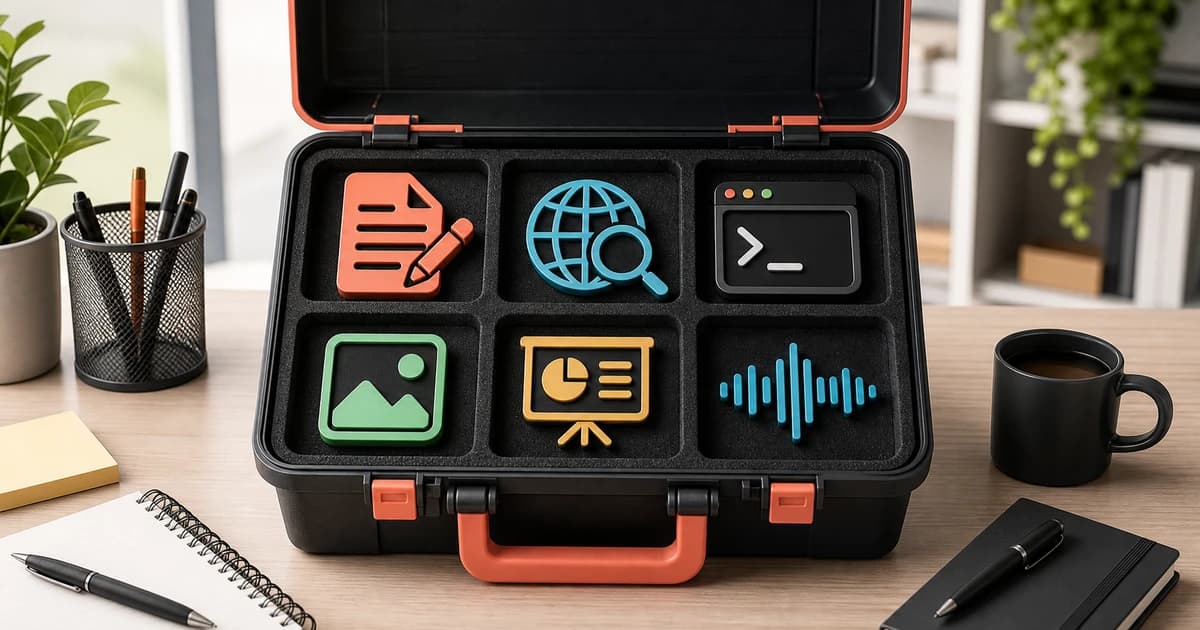
Free AI tools you can use for real work
The web is full of lists promising “100 free AI tools.” Click through and the picture changes: some products offer only a few generations, some require a credit card, and some let you make content that cannot be used commercially.
This guide is not a directory of everything with AI in its name. We focus on products that let you test a meaningful capability without paying and match them to actual jobs: writing, research, working with documents, coding, design, presentations and voice.
For a broader product index, browse our AI tools directory. This page answers a different question: which free tier is useful for your work, and where does it stop being useful?
We checked the plans and limits on June 8, 2026. Providers can change them without notice, so open the linked pricing page before committing to a large project.
Quick answer: the best free AI tool for each job
| Job | Good place to start | What the free tier can test | Main limitation |
|---|---|---|---|
| Writing and general assistance | ChatGPT, Claude or Gemini | chat, file analysis, drafting and editing | message, model and feature limits |
| Web research | Perplexity | answers with links to sources | very limited advanced searches |
| Research with your own material | NotebookLM | source-grounded questions, notes and summaries | notebook, source and generation limits |
| Coding | Gemini Code Assist or Gemini CLI | IDE assistance or agentic terminal work | usage limits and a narrower model choice |
| Design and simple graphics | Canva | templates, editing and selected AI features | some assets and features require Pro |
| Image generation | Adobe Firefly or Ideogram | image quality, styles and text in images | credits, queues and public generations |
| Presentations | Gamma | creating and exporting short decks | card limits and less advanced control |
| Voice and transcription | ElevenLabs | speech, transcription and small audio experiments | monthly credits and no commercial license on Free |
| Short video experiments | Runway | the interface and selected models | one-time credits and watermarks |
There is no single best free AI. A useful setup usually combines two or three tools with clearly defined roles.
Best free AI assistant: ChatGPT, Claude or Gemini?
These are the most versatile starting points. All three can explain topics, edit text, work with files, generate ideas and help with analysis. Their differences become clearer in everyday workflows and limits.
ChatGPT: the most versatile starting point
ChatGPT Free provides limited access to the current flagship model, file uploads, image generation, search and research features. It is a convenient choice when you want one interface for many small tasks.
The free tier is useful for:
- editing emails, proposals and notes;
- organizing information from a document;
- creating simple images;
- asking questions that require current web information;
- finding out whether a chatbot fits your workflow at all.
Dynamic limits are the main constraint. Once you reach them, some features may become temporarily unavailable or fall back to a lighter model. That may be fine for occasional use, but it becomes noticeable when the assistant is open all day.
Claude: strong for long-form reading and careful editing
Claude Free is available on the web, mobile and desktop. It supports chat, text and image analysis, web search, artifacts and selected connectors.
Claude is particularly pleasant for:
- editing longer documents;
- analyzing tone and structure;
- organizing an argument;
- drafting a specification;
- work where consistency matters more than a long feature list.
Free usage is session-based, and the available capacity depends on factors such as conversation length, attachments and service demand. The limit resets periodically, so shorter, focused conversations work better than putting every unrelated task into one endless chat.
Gemini: a natural fit for the Google ecosystem
Gemini's free tier includes access to a fast model, selected reasoning capabilities, image generation, Live, Canvas, Gems and limited Deep Research. Access to advanced models and their limits can change.
Gemini makes sense when:
- your work already lives in Google's ecosystem;
- you want a second opinion alongside ChatGPT or Claude;
- you work with documents, search and multimedia;
- you want a free entry point into Google's coding tools.
If you are choosing between the three, see our detailed ChatGPT vs Claude vs Gemini comparison. For many people, the best benchmark is not an abstract score but the same real task completed in each product.
Free AI for research: Perplexity and NotebookLM
A chatbot can produce a polished answer without solid factual support. For research, style matters less than being able to check where a claim came from and whether the source actually supports it.
Perplexity: fast topic discovery
Perplexity Standard offers free basic searches, a very limited number of Pro Searches and basic file uploads. Its answers link to sources, helping you move quickly from a summary to the underlying material.
Use it to:
- learn the basic vocabulary around a topic;
- find documentation, reports and official announcements;
- identify questions that need deeper verification;
- compare several sources before doing the real analysis.
Do not treat a citation list as automatic proof. Open the most important sources and check whether they support the precise sentence beside them. Models can misread a genuine document.
NotebookLM: research inside your own source set
NotebookLM answers from material you add to a notebook, including documents, web pages, recordings, presentations and transcripts. That is a fundamentally different job from searching the open web.
Standard access with a Google account includes notebooks, source-grounded questions, summaries and generated media. At the time of our review, the standard account limits included 100 notebooks, 50 sources per notebook and 50 daily chat queries. Those numbers can change.
NotebookLM is useful for:
- studying several reports or chapters;
- preparing for a meeting from project documentation;
- comparing policies, contracts or specifications;
- finding a passage across a large source collection;
- producing notes whose grounding can be inspected.
The simple division is: Perplexity helps you find sources; NotebookLM helps you work through them.
Free AI tools for coding
Coding is an appealing AI test because you can run the result. It is also a field where plausible code can introduce a vulnerability, remove data or make an architecture harder to maintain.
Gemini Code Assist and Gemini CLI
Gemini Code Assist for individuals is available at no charge and does not require a credit card. It integrates with popular IDEs to generate, explain and improve code.
Gemini CLI brings agentic work into the terminal. Google offers a free allowance for users who sign in with a personal Google account, making it a practical way to test an agent against a real repository.
Start with tasks that are easy to inspect:
- explain the project structure without editing files;
- locate code related to a reproducible bug;
- write a test that demonstrates the problem;
- change one small function on a separate branch;
- run lint, type checks and tests after the edit.
For a more developed repository workflow, read our Claude Code guide. Claude Code itself is not the clearest example of an “always free” tool because access depends on the current Claude plan or API billing.
Whatever tool you choose, review the diff and never hand production secrets to an agent. AI can accelerate implementation; it does not accept responsibility for the deployed code.
Free AI for images and design
“Free” is especially slippery in this category. In addition to credits, check generation privacy, watermarks, export formats and commercial usage rights.
Canva: the fastest path from idea to finished layout
Canva Free includes its editor, free templates and assets, collaboration and selected AI features. It is a good choice when the result needs to become a social post, presentation, simple graphic or document rather than remain a standalone generated image.
Canva is less specialized than a dedicated image model, but its workflow is the advantage: generated or uploaded material can immediately be cropped, arranged, labeled and exported.
Adobe Firefly: testing generative graphics inside Adobe's ecosystem
Firefly Free includes a limited allocation of generative credits. It lets you try image generation and editing, along with selected audio and video capabilities, but sustained use will quickly reach the cap.
Firefly is worth testing if:
- you already use Adobe products;
- you need generative edits to an existing image;
- you want to compare several concepts before subscribing;
- clear documentation around usage terms matters to you.
Ideogram: images with more reliable text
Ideogram's free plan provides a weekly allocation of slower generations. The model is known for handling text inside images relatively well, making it useful for poster concepts, simple covers and typographic experiments.
There is an important catch: free-plan generations are public. Do not enter a confidential brief, unreleased product or client material that should stay private.
For a wider comparison, see our guide to the best AI image generators.
Free AI for presentations: Gamma
Gamma Free can create simple presentations, documents, websites and social content. It supports PDF and PowerPoint imports and exports to formats including PDF, PPTX, PNG and Google Slides. Free generation limits the number of cards created from one prompt.
Gamma works well for a first draft of:
- a meeting deck;
- a report summary;
- a project proposal;
- training material;
- a simple content page.
Do not outsource the entire process to the model. Verify the argument and data first, shorten the slides next, and fix the visual hierarchy last. A polished layout cannot rescue a weak story.
Free AI for voice and audio: ElevenLabs
ElevenLabs Free includes a monthly credit allowance for text to speech, transcription, dubbing, Studio, voice agents and API access. It is enough to evaluate voice quality, pacing and a small prototype.
The most important restriction is not merely the character count. A commercial license starts with paid plans, so a free account should not automatically become the production backend for an advertisement, paid course or brand voice.
For voice cloning, use only recordings you have the right and the person's permission to use. Technical capability is not consent to reproduce somebody's identity.
What about free AI video generation?
Video is computationally expensive, so free plans are usually demonstrations rather than permanent production workspaces. Runway Free provides a one-time credit allocation, limited storage and selected features. Free exports may carry a watermark.
That is enough to learn the interface, test prompt patterns and see whether a model fits your visual style. It is not enough for a steady series of videos. A free allowance may cover one experiment; a repeatable workflow needs a cost estimate from the beginning.
Four kinds of “free” that should not be confused
A Free label can hide very different arrangements:
- A permanent free tier. The product remains available but has lower limits or fewer features.
- One-time credits. Once the allocation is gone, further work requires payment.
- Free but public generations. You do not pay, but other people may see the outputs and prompts.
- Free non-commercial use. Testing is allowed, but client work or selling the output requires a different license.
Before starting a project, also check:
- whether a credit card is required;
- when limits reset;
- whether unused credits roll over;
- who retains rights to the input and output;
- whether data can be used to improve models;
- whether uploaded files can be deleted;
- whether exports include a watermark;
- whether commercial use is covered.
This is less exciting than generating the first image, but it determines whether a free tool belongs in a real workflow.
Practical toolkits for different users
Student or learner
- NotebookLM for working with assigned sources.
- Perplexity for finding sources and new directions.
- ChatGPT, Claude or Gemini for explaining difficult passages.
- Gamma for a first presentation draft.
Do not ask only for the final answer. Ask for questions, counterarguments and source passages. That makes AI support learning instead of replacing it.
Freelancer
- Claude or ChatGPT for briefs, editing and copy variants.
- Canva for assembling deliverables.
- Perplexity for learning about a client's industry.
- ElevenLabs for audio prototypes, with license checks.
Client data is the biggest risk. Remove confidential information or use a plan and configuration approved for that work.
Marketing and social media
- ChatGPT or Gemini for message variants.
- Canva for the final layout.
- Firefly or Ideogram for visual concepts.
- Perplexity for checking facts and trends.
Generating more variants does not remove the need to choose. Define brand voice, evaluation criteria and a measurement plan before asking AI for twenty posts.
Developer
- Gemini Code Assist for in-IDE assistance.
- Gemini CLI for testing agentic terminal work.
- ChatGPT, Claude or Gemini for explanation and design.
- Claude Code as the next step when you need a deeper repository workflow.
The best free coding agent is the one whose output you can verify with a test, not the one that produces the longest diff.
Small business
Start with one process, such as answering recurring questions or summarizing meetings. Choose one tool, define which data must never be pasted into it, and compare the time required before and after the test.
Paying for AI makes sense only when you know what you are buying: a higher limit, a better model, privacy, an integration, commercial rights or team controls.
How to test an AI tool fairly
A random prompt produces a random verdict. Instead of asking every product for the capital of France, prepare three tasks from your own work:
- An easy task you perform frequently.
- A context-heavy task, such as working with a document.
- A risky task where correctness, sources or privacy matter.
Evaluate:
- first-answer quality;
- the number of edits required before use;
- whether sources can be checked;
- time from prompt to usable result;
- consistency across repeated attempts;
- data and licensing constraints;
- what happens when the free limit is reached.
A good prompt makes comparison fairer, but it should not hide a tool's weaknesses. Use the same goal, input and quality criteria. Our guide to writing better prompts offers a simple structure for the test.
When is a paid plan worth it?
Not when a promotional banner appears. A paid plan begins to make sense when at least one of these is true:
- you regularly hit a limit and the interruption costs more than the subscription;
- you need commercial rights or private generations;
- a stronger model substantially reduces manual corrections;
- team access and permission controls are required;
- you need integrations, API access or larger files;
- your organization needs specific retention and data-processing terms.
Measure the value first. If a product saves one hour per month, the subscription may not pay off. If it cuts an hour from a daily process, the free limit has probably stopped being the most important criterion.
Privacy: what not to paste into free AI
The default rule is simple: do not paste data you would not send to an unfamiliar company for analysis.
That includes:
- passwords, API keys and tokens;
- customer and employee data;
- medical, financial and legal records;
- unpublished code covered by restrictions;
- strategies, contracts and transaction data;
- photos or recordings of people without appropriate permission.
Check settings for history, model improvement and data deletion. A free plan may have different terms from a business product. If a company wants to deploy generative AI more widely, it needs a usage policy, not just a list of recommended apps.
Our recommendation
Do not install ten tools on day one. Choose:
- one general assistant: ChatGPT, Claude or Gemini;
- one source-focused tool: Perplexity or NotebookLM;
- one specialist tool that matches your work.
For one week, record what you use each product for, how much time it saves and where the output needs correction. That short test will tell you more than five more rankings.
The best free AI tool is not the product with the longest feature list. It is the one that solves a specific problem, lets you verify the result and does not hide its cost in your data, licensing restrictions or hours of cleanup.
FAQ
Is there a completely free AI with no limits?
Cloud services usually limit messages, credits, speed or features. Open-weight models can be run locally without a subscription, but then you pay through hardware, electricity and setup time.
What is the best free AI for writing?
ChatGPT, Claude and Gemini are all capable choices. The answer depends on the material, tone and workflow, so compare them with the same document rather than relying only on a generic ranking.
Can free AI images be used commercially?
It depends on the product and plan terms. Check output rights, license restrictions, generation visibility and watermarks before publishing or selling the result.
Do free AI tools use my data for training?
Terms differ by service and account type. Review the privacy policy and settings for history and model improvement. Do not assume a free consumer product offers the same guarantees as a business plan.
Is a free trial that requires a credit card worth using?
Only when you need to evaluate a paid capability and set a reminder before renewal. For a first AI experiment, a free tier that does not require payment details is usually a better starting point.